has anybody worked out how to get these to comm easy with a pc? cos its got me stuffed, the garmins are plug in & they work but the magellan is giving me issues.
cheers
Andrew
Notice: We request that you don't just set up a new account at this time if you are a previous user.
If you used to be one of our moderators, please feel free to reach out to Chris via the facebook Outerlimits4x4 group and he will get you set back up with access should he need you.
If you used to be one of our moderators, please feel free to reach out to Chris via the facebook Outerlimits4x4 group and he will get you set back up with access should he need you.
Recovery:If you cannot access your old email address and don't remember your password, please click here to log a change of email address so you can do a password reset.
FX 324 gps - connected with pc
Moderators: toaddog, TWISTY, V8Patrol, Moderators
FX 324 gps - connected with pc
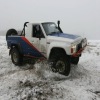
Style Side Maverick Ute
4.2 Turbo Diesel
35" Simex
4" Procomp suspension
2" Bodylift
Fibreglass Stuff....
Now highmount & Plasma :d
4.2 Turbo Diesel
35" Simex
4" Procomp suspension
2" Bodylift
Fibreglass Stuff....
Now highmount & Plasma :d

Yep I have done it I will look at my stuff at home tonight for the info.
Basically you use the FX as a slave and the PC as the plotter.
The PC just uses the FX to give the GPS point.
You can also download and upload tracks but only when using the Discoveraus software.
If you are only wanting to connect to PC to update firmware or base maps you can do this using SD card and getting into the hidden menu on the FX.
It works really well using Aus Maps not Discoveraus.
Cheers
Dazza
Basically you use the FX as a slave and the PC as the plotter.
The PC just uses the FX to give the GPS point.
You can also download and upload tracks but only when using the Discoveraus software.
If you are only wanting to connect to PC to update firmware or base maps you can do this using SD card and getting into the hidden menu on the FX.
It works really well using Aus Maps not Discoveraus.
Cheers
Dazza
Who is online
Users browsing this forum: No registered users and 5 guests